Lithuanian Lemmatization: A Practical Guide
Lemmatization is needed in systems that extract, store, or query information based on terms. Words appear in different forms depending on grammar, but you need to normalize them to search and compare effectively.
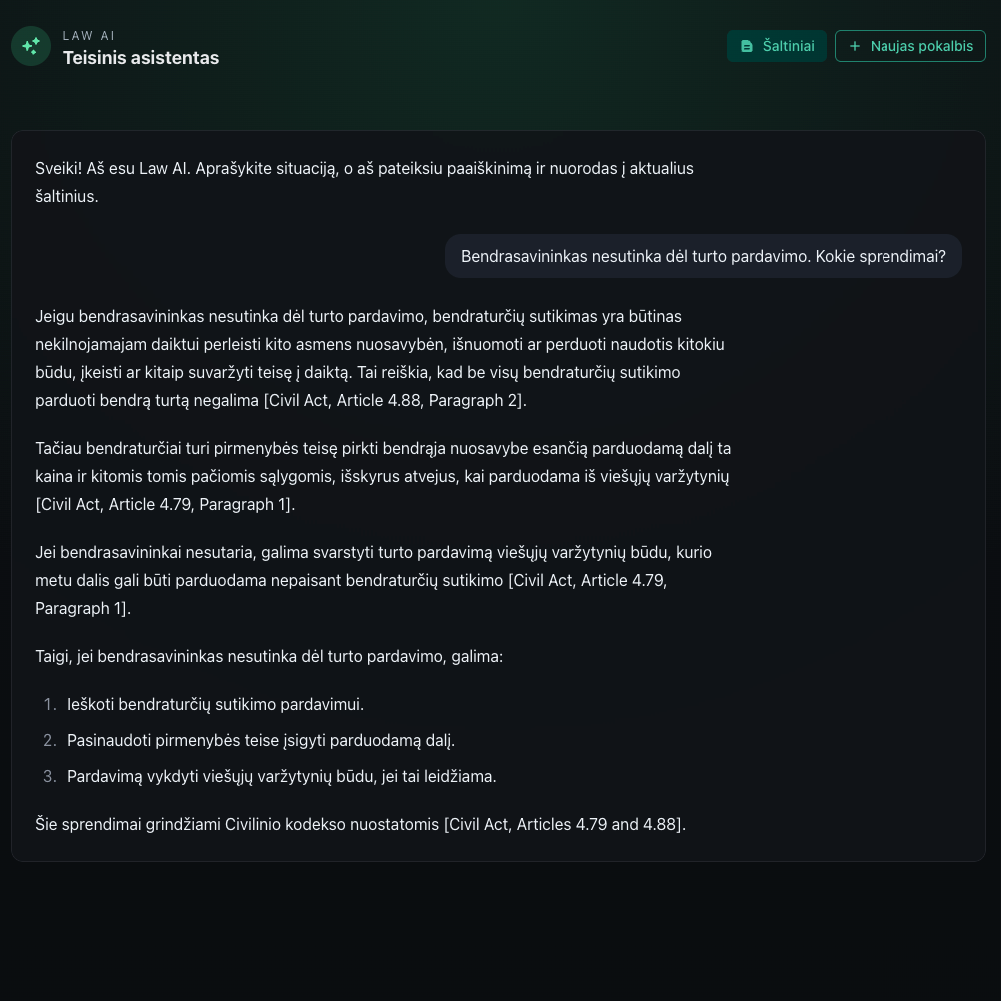
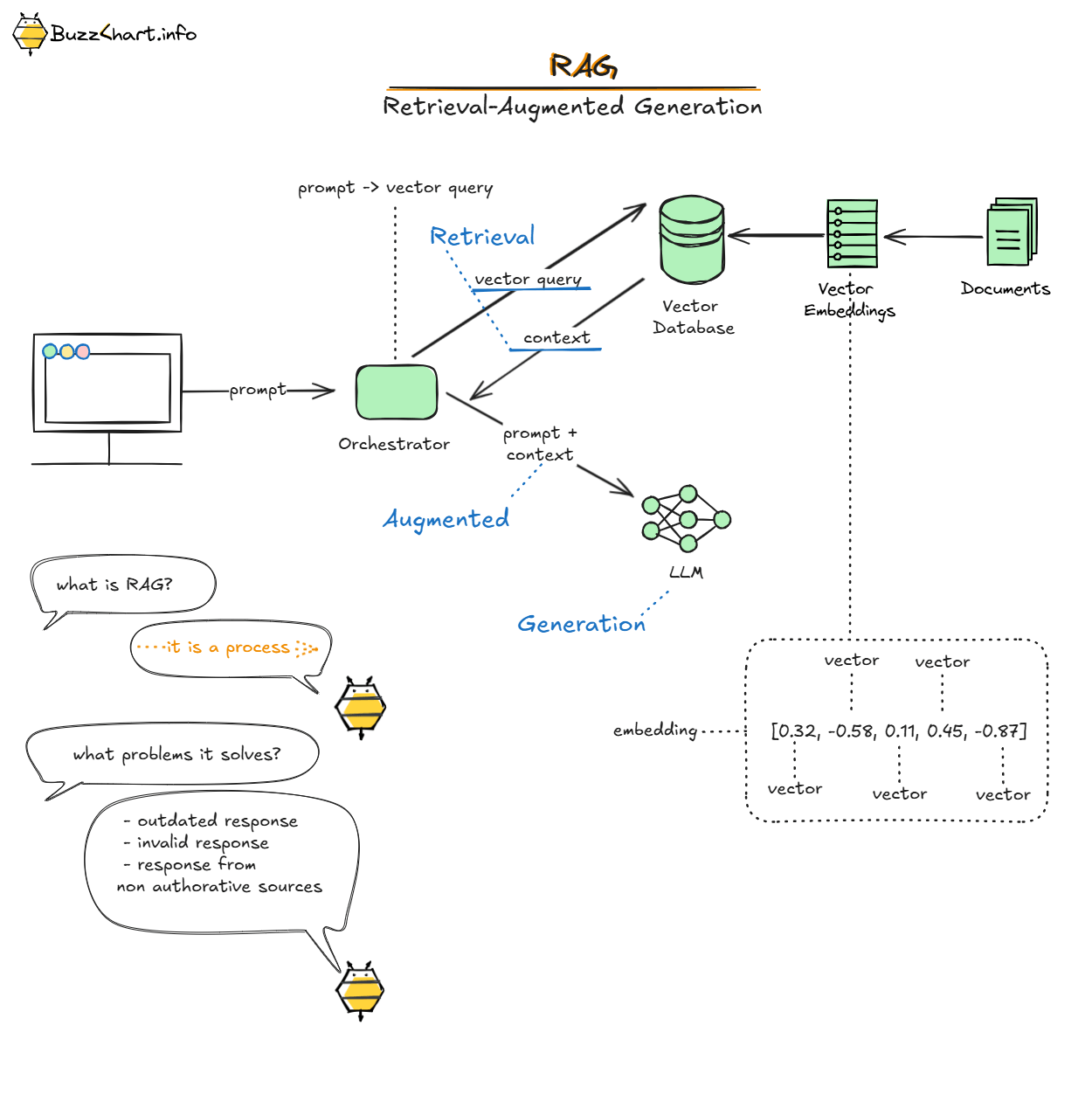
Related concepts: Building a Lithuanian Law Assistant with LLM and RAG (part 2) , Building a Lithuanian Law Assistant with LLM and RAG (part 1) , RAG .
What is a Lemma?
A lemma is the canonical (dictionary) form of a word.
Where is it Used?
Lemmatization is needed in systems that extract, store, or query information based on terms. Words appear in different forms depending on grammar, but you need to normalize them to search and compare effectively.
Examples:
English: "person" (singular), "persons" (plural), "person's" (possessive)
Lithuanian: "gyvūnas" (singular), "gyvūnai" (plural), "gyvūno" (genitive). Lithuanian has many more variations of the same word due to its rich case system.
To use these words in search queries or build a terms dictionary, you need the canonical form: "person" or "gyvūnas". This base form is the lemma, and the process of converting words to their lemmas is called lemmatization.
Use Case: Legal Document Concept Graph
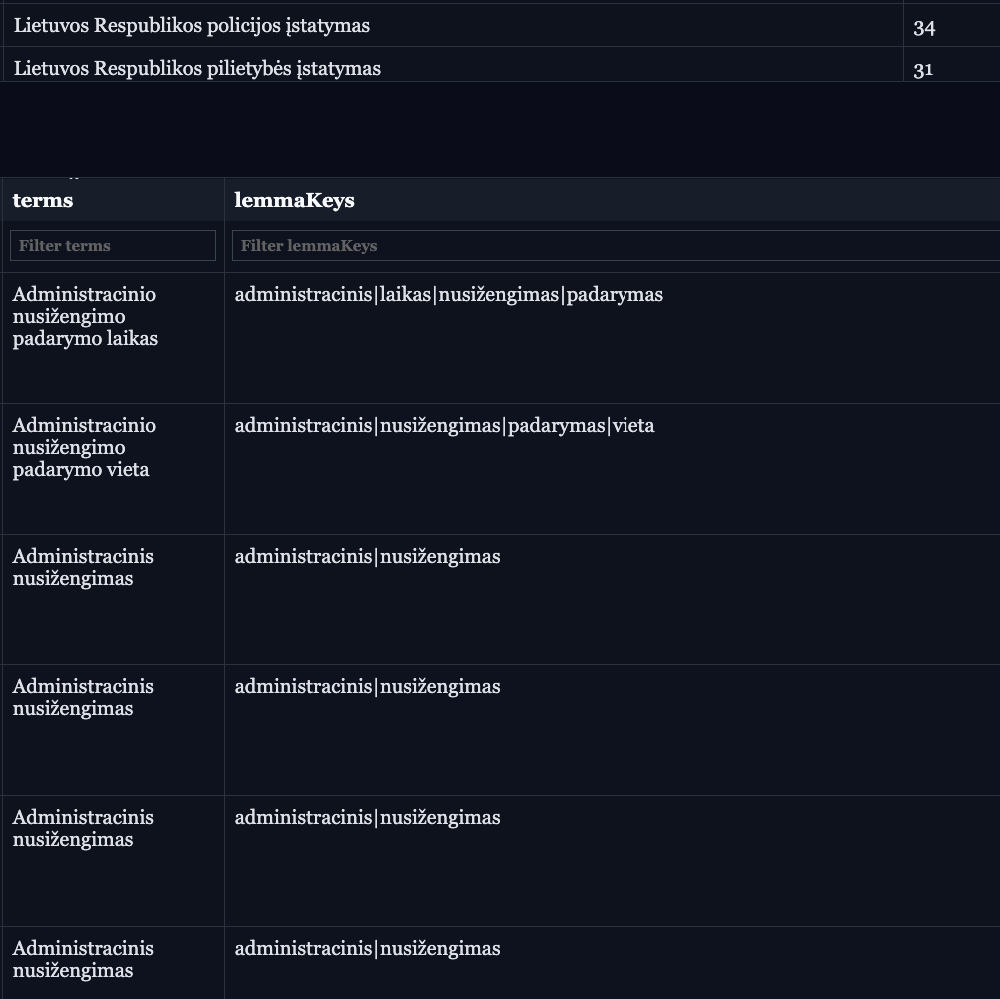
I use this to build a concept graph for Lithuanian legal documents. The idea is to extract legal concepts and link multiple law documents through shared concepts.
For example:
Extract terms like "sutartis" (contract), "atsakomybė" (liability), "įsipareigojimas" (obligation)
Convert all their grammatical variants to base forms
Build relationships between different legal documents that reference the same concepts
Search across the legal corpus by concept
Without lemmatization, you miss connections between documents that use different grammatical forms of the same legal concept.
How to Implement Lemmatization?
For Lithuanian, use the spaCy model lt_core_news_md, where _md indicates the model size. Other sizes are _sm (small) and _lg (large).
Model Size Comparison
lt_core_news_sm (~20MB): Fast processing, lower accuracy. Good for prototyping or when speed matters more than precision.
lt_core_news_md (~50MB): Balanced speed and accuracy. Works well for most production use cases.
lt_core_news_lg (~150MB): Best accuracy, slower processing. Use this for legal or medical text where precision is critical.
Simple Python Implementation
Here's a basic FastAPI service for lemmatization:
from fastapi import FastAPI
import spacy

app = FastAPI()
nlp = spacy.load("lt_core_news_md")

@app.post("/lemmatize")
def lemmatize(text: str):
    doc = nlp(text)
    lemmas = [token.lemma_ for token in doc]
    return {"lemmas": lemmas, "original_text": text}
Once you start the application on localhost:8000, you can:
Access the OpenAPI documentation at
/docsUse the lemmatizer via the
/lemmatizeendpoint
Performance Considerations
Processing Speed
Processing Lithuanian text with spaCy models is slow for large datasets. Each model initialization and text processing takes time.
Caching Strategy
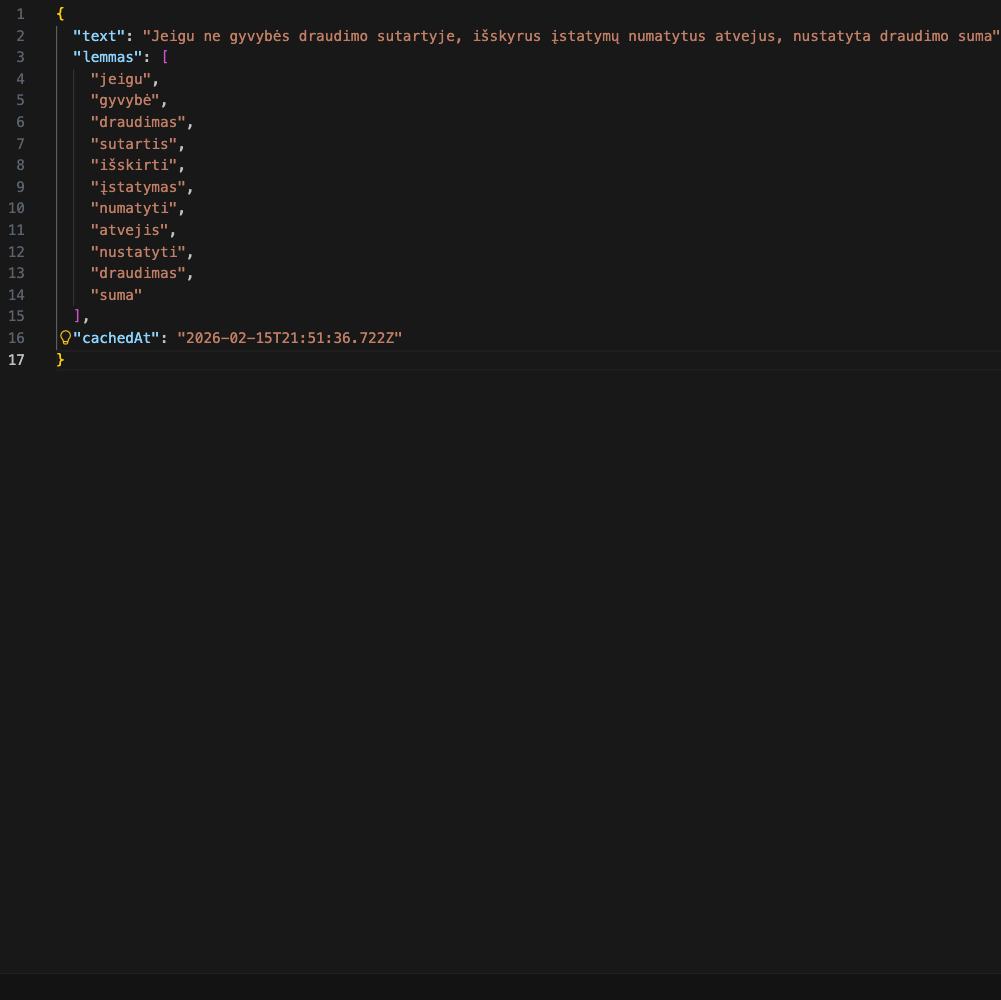
For production systems processing large amounts of data, implement phrase-level caching:
Benefits:
Pipeline evaluations run much faster the second time
Unit tests execute quickly without re-processing
Lower computational costs for repeated text analysis
Limitations
While spaCy's Lithuanian models work well, they have some issues:
Context dependency: Accuracy depends on context. Ambiguous words may be lemmatized incorrectly if context is unclear.
Domain-specific terminology: Legal, medical, or technical terms may not be recognized if they were rare in the training data. Legal Lithuanian has specific terminology that general models might handle poorly. What I’ve mentiond that some generic words may be processed poorly in 50MB model. For example: “tachografo”, “Laivo”, “numatytu”.
Rare words and neologisms: New words or rare terms may be lemmatized incorrectly or returned unchanged.
Proper nouns: Names of people, places, and organizations may be incorrectly lemmatized. For example “Maximos”, which is store name, is not lemmatized.
Alternative Approaches
TypeScript/JavaScript Libraries
For JavaScript/TypeScript applications, you might consider:
1. Compromise.js with custom Lithuanian plugin
import nlp from 'compromise'

const text = "gyvūnai bėga greitai"
const doc = nlp(text)
// Note: Requires custom Lithuanian plugin (not available by default)
2. Natural.js
import natural from 'natural'
// Limited Lithuanian support
3. Remote API approach (TypeScript client)
async function lemmatize(text: string): Promise<string[]> {
  const response = await fetch(
    `http://localhost:8000/lemmatize?text=${encodeURIComponent(text)}`,
    { method: 'POST' }
  )
  const data = await response.json()
  return data.lemmas
}

// Usage
const lemmas = await lemmatize("gyvūnai bėga greitai")
console.log(lemmas) // ["gyvūnas", "bėgti", "greitai"]
Tradeoffs for Lithuanian
Python + spaCy (Recommended):
✅ Mature Lithuanian models with good accuracy
✅ Handles Lithuanian morphology well
✅ Active community and updates
✅ Good documentation
❌ Requires Python runtime
❌ Slower processing
TypeScript/JavaScript libraries:
✅ Works natively in Node.js and browsers
✅ Easier deployment in JS projects
✅ Faster for simple tasks
❌ Poor or no Lithuanian support
❌ Limited morphological analysis for Lithuanian
❌ Requires custom rule-based implementation
Recommendation: For Lithuanian, there are no good JavaScript libraries. Python + spaCy is the clear choice. If you need TypeScript integration, run a Python lemmatization server and call it via HTTP from your TypeScript application.
Complete Setup Guide
Prerequisites
Python 3.8 or higher
Node.js 18+ (for TypeScript client)
pip (Python package manager)
Installation Steps
1. Install Python
Download and install Python from python.org
Verify installation:
python --version
2. Create Project Directory
mkdir lemmatizer-service
cd lemmatizer-service
3. Create Virtual Environment
python -m venv venv
Activate it:
Linux/Mac:
source venv/bin/activateWindows:
venv\Scripts\activate
4. Install Dependencies
pip install fastapi uvicorn spacy
python -m spacy download lt_core_news_md
5. Create Application File
Create main.py with the caching implementation shown above.
6. Run the Server
uvicorn main:app --reload --host 0.0.0.0 --port 8000
TypeScript Client Example
1. Initialize TypeScript Project
mkdir lemmatizer-client
cd lemmatizer-client
npm init -y
npm install typescript @types/node tsx
npx tsc --init
2. Create Client
Create client.ts:
interface LemmatizeResponse {
  lemmas: string[]
  original_text: string
}

class LemmatizerClient {
  private baseUrl: string

  constructor(baseUrl: string = 'http://localhost:8000') {
    this.baseUrl = baseUrl
  }

  async lemmatize(text: string): Promise<string[]> {
    const response = await fetch(
      `${this.baseUrl}/lemmatize?text=${encodeURIComponent(text)}`,
      { method: 'POST' }
    )

    if (!response.ok) {
      throw new Error(`HTTP error! status: ${response.status}`)
    }

    const data: LemmatizeResponse = await response.json()
    return data.lemmas
  }

  async lemmatizeBatch(texts: string[]): Promise<string[][]> {
    return Promise.all(texts.map(text => this.lemmatize(text)))
  }
}

// Example usage
async function main() {
  const client = new LemmatizerClient()

  try {
    // Single text lemmatization
    const lemmas = await client.lemmatize("Lietuvos teisės aktai reglamentuoja sutarčių sudarymo tvarką")
    console.log('Lemmas:', lemmas)

    // Batch processing
    const texts = [
      "gyvūnai bėga greitai",
      "sutartis buvo sudaryta",
      "įstatymai nustato atsakomybę"
    ]
    const batchResults = await client.lemmatizeBatch(texts)
    console.log('Batch results:', batchResults)

  } catch (error) {
    console.error('Error:', error)
  }
}

main()
3. Run the Client
npx tsx client.ts
Expected Output
Lemmas: ['Lietuva', 'teisė', 'aktas', 'reglamentuoti', 'sutartis', 'sudarymas', 'tvarka']
Batch results: [
  ['gyvūnas', 'bėgti', 'greitai'],
  ['sutartis', 'būti', 'sudaryti'],
  ['įstatymas', 'nustatyti', 'atsakomybė']
]
Project Structure
lemmatizer-service/
├── main.py
├── requirements.txt
├── lemma_cache/          # Created automatically
├── venv/                 # Virtual environment
└── README.md

lemmatizer-client/
├── client.ts
├── package.json
├── tsconfig.json
└── README.md
requirements.txt
fastapi==0.104.1
uvicorn==0.24.0
spacy==3.7.2
README.md (Python Service)
# Lithuanian Lemmatizer Service

A FastAPI service for Lithuanian text lemmatization using spaCy.

## Features
- Fast lemmatization for Lithuanian text
- Phrase-level caching for improved performance
- REST API with OpenAPI documentation

## Quick Start

1. Install dependencies: `pip install -r requirements.txt`
2. Download model: `python -m spacy download lt_core_news_md`
3. Run server: `uvicorn main:app --reload`
4. Visit: http://localhost:8000/docs

## API Endpoint

POST /lemmatize?text=your_text_here

## Performance

Caching is enabled by default. Cache is stored in `./lemma_cache/` directory.
README.md (TypeScript Client)
# Lemmatizer TypeScript Client

TypeScript client for the Lithuanian Lemmatizer Service.

## Installation

```bash
npm install
Usage
npx tsx client.ts
Requirements
Node.js 18+
Running lemmatizer service on
localhost:8000
Conclusion
For Lithuanian lemmatization, Python's spaCy library is the best option because of its mature language models and good accuracy. If you need TypeScript integration, use a microservice: run the Python lemmatizer as a server and call it from your TypeScript code.
For legal document analysis and concept graph building, the caching strategy is necessary to keep processing speeds reasonable across large document collections.